
How to Reset Your Password and Get Back Online
If you're having trouble logging in to your iX Golf account, don’t worry—getting back in is easy.
How to Reset Your Password
-
Visit https://www.ix.golf/
-
Click on “Members” in the menu.
-
Select the “I’ve forgotten my password” button.
-
You’ll receive an email with instructions on how to reset your password.
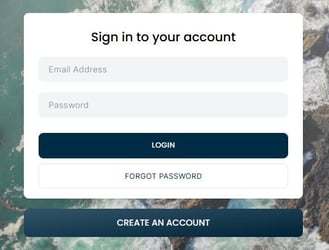
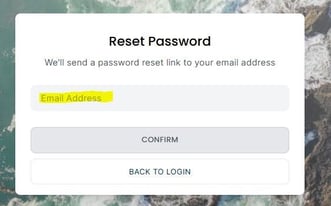
After completing the reset, you’ll automatically be logged out of all devices for security purposes. You can then sign in again using your new password.
Still Having Issues?
If you’re still unable to log in after resetting your password, our customer services team is here to help.
Phone: 01608 310 197 (option 1)
Email: customerservices@ix.golf
We're happy to assist you in getting back into your account.